
When a practitioner tells me their site looks cheap or templated, they usually assume they need a new theme, a new logo, or a full redesign. Most of the time they don’t. The gap between a site that looks thrown together and one that looks considered comes down to a few decisions most templates leave to chance.
One note before you start: these fixes work best once your message is clear. A beautiful page that’s hard to understand will still underperform a plain page that says the right thing. If you haven’t looked at your headline lately, start there.
1. Use Fewer Fonts, and Size Them With Intent
Two typefaces is plenty: one for headings and one for body text. Make your headlines clearly bigger than your paragraphs, not just a little bigger. Then use the same sizes everywhere. Every section heading the same size, every paragraph the same size.
Inconsistent text sizes are one of the fastest tells of a do-it-yourself site. Fixing them alone can make a page look noticeably more polished.
2. Give One Color a Job
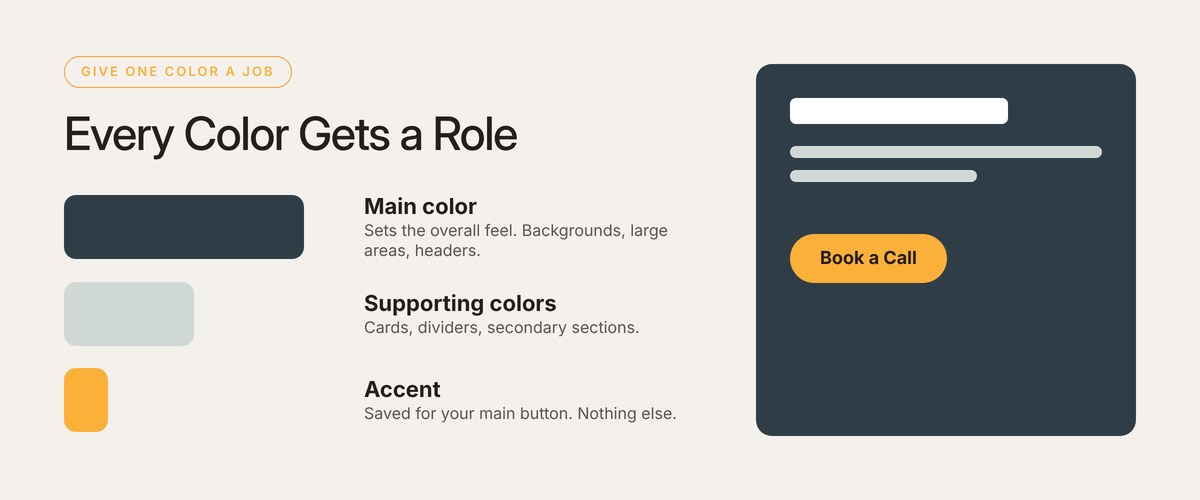
Most brands have four or five colors and use them all about equally. That makes every element on the page compete for attention. Instead, give each color a role: one main color that sets the overall feel, one or two supporting colors, and one accent you save for the thing you most want people to click.
When your button is the only orange thing on the page, people find it without thinking.
3. Let the Page Breathe
Templates tend to give every section exactly the same spacing, which makes a page feel like a stack of identical boxes. Vary it on purpose. Give your most important sections more room, and group related items more tightly. Generous white space reads as confidence.
Expensive-looking design isn’t about adding more. It’s about making fewer, more deliberate choices.
Two Extras That Punch Above Their Weight
Real Photos Instead of Stock
Visitors have seen the same smiling stock models on a hundred wellness sites. A real photo of you, your office, or your products builds trust faster than any stock image, even if it isn’t perfect.
Enough Contrast to Read
Soft sage, blush, and light gray text look calm on a large monitor. On a phone in daylight, or for an older visitor, they can be hard to read. Run your text colors through a free contrast checker, and aim for a ratio of at least 4.5 to 1 for body text, the standard set by the Web Content Accessibility Guidelines.
A 10-Minute Design Check
- Count your fonts. More than two? Pick the two you’ll keep.
- Compare your headings. Are all section headings on a page the same size?
- Find your button color. Is it used for anything other than buttons?
- Look at your spacing. Is it identical between every section?
- Check your contrast. Run your body text color through a contrast checker.
Want a designer’s eye on your site before you change anything?

I’ve spent more than 22 years building websites for health practitioners and wellness brands. Some of the biggest jumps in new inquiries I’ve seen came from changes that took an afternoon: a clearer headline, one obvious button, a real photo. A redesign can be the right call, but it works best after you know exactly what the page needs to say.
If you’d like a fresh read on your homepage, send me the link. I’ll tell you what’s working, what I’d fix first, and the simplest way to do it.