


A lot of practitioners pay someone to “maintain” their website without knowing what that actually means. Sometimes it means a person logs in once a month and clicks the update button. Sometimes it means nothing happens until the site breaks.
Your website handles bookings, inquiries, and sometimes payments. Keeping it healthy is closer to caring for a car than painting a fence. It needs regular attention, and most of that attention is invisible when it’s done right.
Updates Are Where Maintenance Starts, Not Where It Ends
WordPress, your theme, and your plugins all release updates regularly. Many of them fix security problems, so skipping them is risky. But updating alone isn’t maintenance. Updates can break things, backups can quietly fail, and a site can go down at 2 a.m. without anyone noticing until a patient calls.
Good maintenance covers the whole picture.
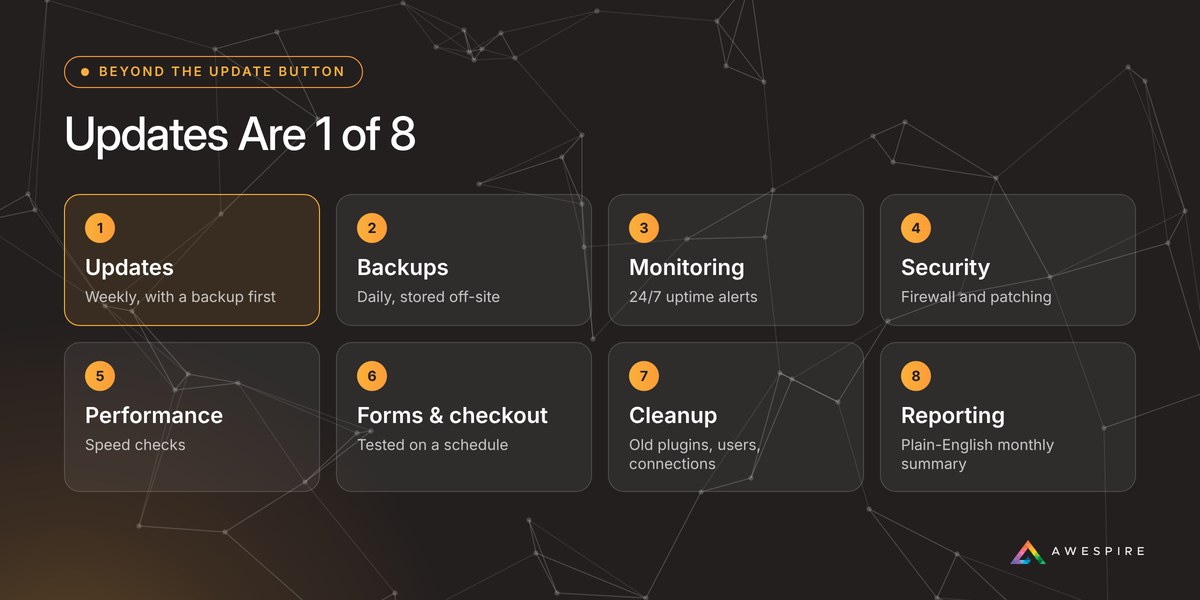
The 8 Things Real Maintenance Covers
1. Updates, With a Safety Net
Core, theme, and plugin updates applied on a regular schedule, ideally weekly, with a fresh backup taken right before. Then someone checks that the site still works afterward.
2. Backups You Can Actually Restore
Daily backups, stored somewhere other than your web server, and kept for at least a few weeks. A backup that lives on the same server as your site disappears with it if that server has a problem.
3. Monitoring Around the Clock
Automatic checks that your site is up, with alerts going to a person who will act on them. You shouldn’t learn your site is down from a client.
4. Security That Goes Beyond Updates
A firewall that blocks attacks before they reach your site, and vulnerability patching that protects you when a plugin flaw is discovered before the plugin’s developer has released a fix.
5. Speed and Performance
Pages slow down over time as images, plugins, and content pile up. Regular checks catch it before visitors start leaving and search rankings start slipping.
6. Forms and Checkout That Still Work
Contact forms that silently stop sending are one of the most common problems we find, and one of the most expensive. Your forms, booking links, and checkout should be tested on a schedule.
7. Regular Cleanup
Removing plugins you no longer use, old user accounts, and outdated connections to services you’ve stopped using. Every leftover piece is one more thing that can go wrong.
8. A Report in Plain English
A short monthly summary of what was updated, what was fixed, and anything you should know about. If you can’t see the work, you can’t tell whether it’s happening.
If nobody can tell you when your site was last backed up, it isn’t being maintained.
5 Questions to Ask Whoever Maintains Your Site
- When was my site last backed up, and where is that backup stored? The answer should be specific and recent.
- How often are updates applied? And is a backup taken right before?
- Who finds out if my site goes down at night? And how quickly do they respond?
- When were my contact forms last tested? If no one knows, test one today.
- Can I see a report of what was done last month? Real work leaves a record.
Do It Yourself, or Hand It Off?
If you enjoy the technical side and have an hour or two every week, you can handle a lot of this yourself with the right plugins. Most practitioners would rather spend that time with clients. Either way, the list above is the standard to hold your site to.

I’ve spent more than 22 years building and caring for WordPress websites, many of them for practitioners, supplement brands, and wellness companies. The sites that run smoothly year after year aren’t the ones with the fanciest design. They’re the ones where someone is quietly doing this work every week.
Awespire Autopilot is how we do it for our clients: weekly updates with a backup first, daily off-site backups, firewall protection, vulnerability patching, 24/7 monitoring, a plain-English monthly report, and a real person to call when something looks off.


